
Control many computers with the same keyboard and mouse
If you work between several different machines at once or need to be able to use your keyboard and mouse on more than one computer, Synergy represents an easy and free solution.
Synergy works between computers independent of the operating system you use, so it's ideal for those working between PCs and Macs. It could be especially useful for a video editor who has two different machines for editing footage in the same studio.
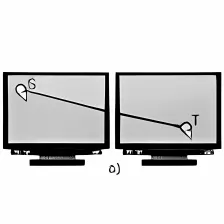
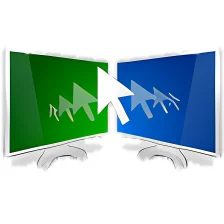
Redirecting the mouse and keyboard simply involves moving your mouse off the edge of the screen. When you do this, it automatically transfers control to the other machine. It's also handy for cutting and pasting between different computers because it merges the clipboards into one. Your screensavers will also be synchronized so they start together and your screen-lock passwords will also work under one password for both screens.
Setting up Synergy simply requires that you identify the network name of the computer you'd like to share. Alternatively, you can opt to share your screen so that another Synergy user can connect to you instead. Of course to do all this, you'll need to have enabled 'TCP/IP networking' on your machine for which Synergy provides little guidance.
Overall though Synergy is a useful application for those who work on dual screens or multiple machines and don't want the confusion and clutter of another keyboard and mouse.
Fixes many keyboard mapping problemsAdds support for linking parts of screen edges and UI improvements
Changes
Fixes many keyboard mapping problemsAdds support for linking parts of screen edges and UI improvements




























User reviews about Synergy
by Michael Allen
I have 1 thing to say about this program.... No I lied I have several. There is no KVM only KM; Which is fine as I use it on desktops, Laptops, my Surface tablets, and my Mac Mini all with their own screen. If you want a True KVM, you are better off with a hypervisor program, or remote access software like VNC or RDP or Devolutions RDM. But I need to see what each computer is doing, and i am working on different tasks on each. The version 1 of this software is okay... I consider it a little problematic. Version 1 has a master server, and all the others are clients. So physically moving a mouse and keyboard to a different computer requires a completely new configuration.
It hates VPNs, but there are ways around that. I use my computer to computer bluetooth network to get around VPN blocking KM access on non-VPN connected machines.
Version 2 was a very big step up. No dedicated Master required, all computers with the software installed are masters. That is what-ever machine my KM were plugged into would connect to the others from one screen to the other. I could remove my keyboard and mouse and plug them in on a different computer and voila, no reconfig necessary, and this was real handy with laptiops. as they have their own keyboard and mouse like device I would not have to disconnect my external keyboard and mouse just so I could use the laptop and still be able to move the KM connection by tracking the cursor. Whatever mouse and keyboard you used was the master automatically! For a computer professional it was AWESOME!
Alas, they discontinued development on Version 2. (it was still in beta.) Now I am forced to go back to version 1 and so now I hate it. They promised a new version 3 to be out shortly.... that was almost 2 years ago.
I will be forced to try something else soon, and demand my refund. More
by Anonymous
Wow....
there's just one thing i want to say about this program.. It's awesome!.. But since I have to write a little more for this to let me post my comment i'll also tell you that if you have a PC and a laptop.. and you're tired of using 2 keyboards and that pad laptops have.. You're gonna love this software.. More